
You Won the Job.
Now Protect the Profit.
A profitable estimate can disappear fast when labor runs long, materials cost more, or changes don't get billed.
SolvPro keeps the project, crews, costs, changes, and billing connected—so you know where the job stands before it's too late to do something about it.
Run the Job. Protect the Profit.
The Estimate Looked Good.
Then the Job Started.
More hours than
you estimated.
Costs changed after you priced the job.
The customer got the work. You absorbed the cost.
Extra days and extra trips eat into the margin.
Every One of Those Comes Out of Your Profit.
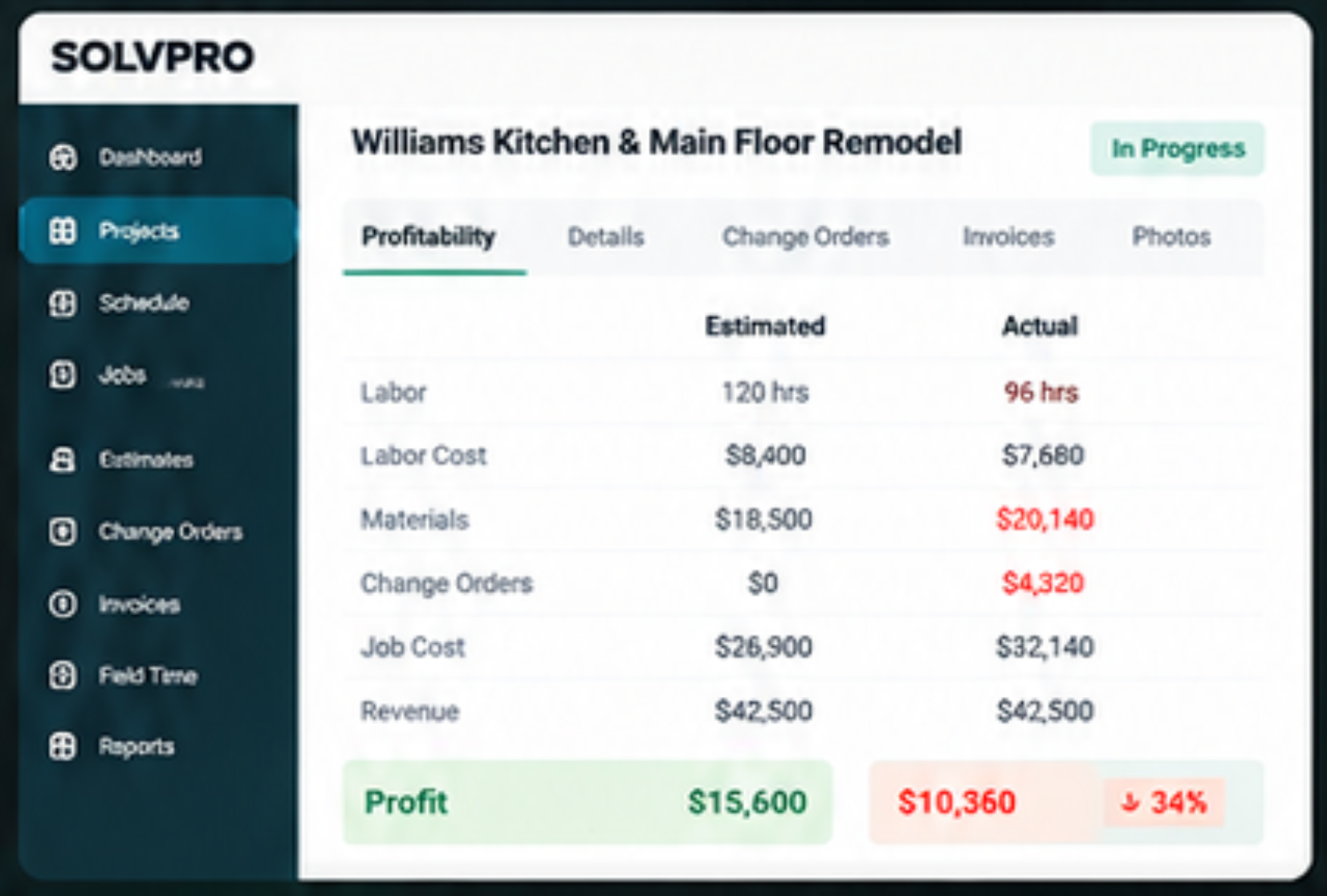
Know Where the Job Stands.
Before the Job Is Over.
You already know what you expected to make.SolvPro helps you see what's actually happening while the project is still underway.
See the Problem While You Can Still Fix It.
From Estimate to Final Payment.
Keep the Job Connected.
Keep the original plan connected to what actually happens in the field.
Schedules, job details, time, photos, and progress stay connected.
Document additional work and get approval before it disappears into the job.
See labor and materials against what you originally estimated.
English or Spanish. Same Crew. Same Job. Same System.
Finish the Project Knowing Where the Money Went.
- Know what
you estimated. - Know
what changed. - Know what labor
actually cost. - Know what materials
actually cost. - Know what's
been billed.
Know What the Job Actually Made.
Build Profitable Projects.
Not Just More Projects.
Your crews are already doing the hard work.
SolvPro connects the estimate, field work, costs, changes, invoices, and payments so you can see what's happening to your profit while you still have time to protect it.
Run the Job. Protect the Profit.