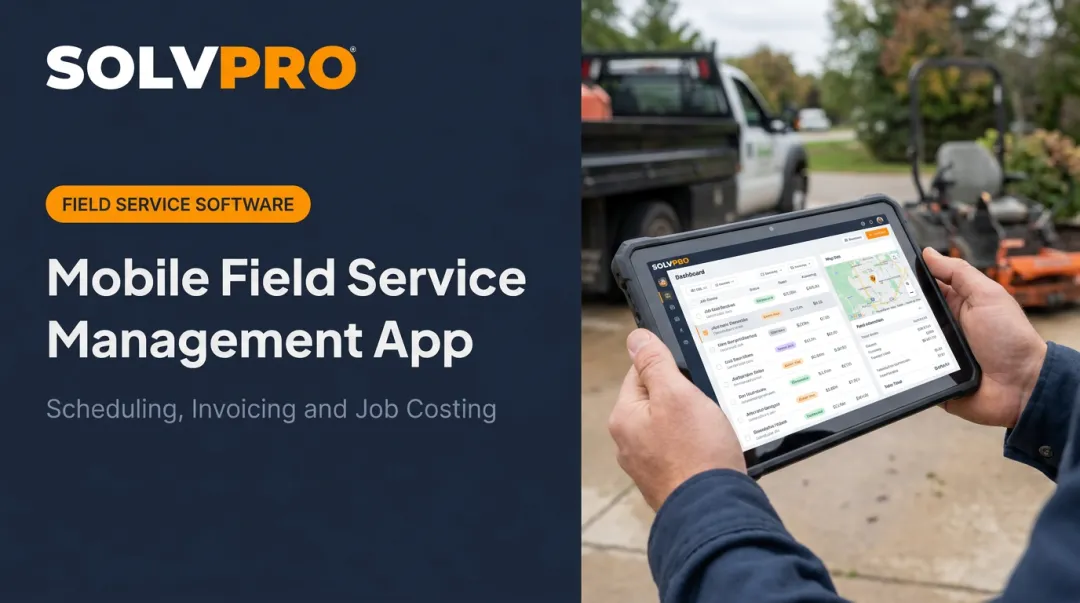
If you run an HVAC, plumbing, electrical, or landscaping business, this probably sounds familiar.
Manual scheduling, dispatching, and invoicing work fine when you're small. But as crews grow and job volume climbs, those spreadsheets and phone calls turn into bottlenecks that cost you money and customers.
This guide breaks down what field service automation actually is, how it works day-to-day, the real benefits it delivers, and the factors worth weighing before you pick a platform.
KEY TAKEAWAYS
- Replaces manual scheduling, dispatching, and invoicing with one connected digital workflow
- Cuts missed and double-booked jobs while speeding up invoicing and freeing office staff
- The best software is mobile-first, intuitive, and syncs with accounting and payment tools
- Businesses with 3+ technicians or 50+ active accounts see the fastest return on investment
- Automation only removes work if the job data enters the system once, so duplicate entry between tools cancels most of the gain
What Is Field Service Automation?
Field service automation is software that manages recurring operational tasks (scheduling, dispatching, job tracking, invoicing, and customer communication) inside one connected system instead of scattered across phone calls, texts, and spreadsheets.
Here's the shift it creates. Instead of the old "call, spreadsheet, follow-up" cycle, booking a job triggers a chain reaction:
- The system checks technician availability and skillset
- A job gets assigned based on location and crew capacity
- The technician and customer both get notified automatically
No manual re-entry. No forgotten follow-up calls.
Where Automation Fits Inside FSM
Field service automation is the task-level engine inside field service management (FSM) software. FSM is the full platform coordinating people, jobs, and data. Automation is what makes that coordination happen without someone manually pushing every step forward.
The need for this kind of automation isn't hypothetical. Research on workforce automation shows the technical potential for automating mechanical installation and repair work reached 53% by 2023, according to McKinsey's analysis of generative AI's economic potential. Field trades aren't disappearing, but the paperwork and coordination behind them are prime candidates for automation.
Industries relying on it most:
- General contractors
- Electrical and plumbing businesses
- Environmental services companies
- Landscaping and lawn care crews
- Commercial cleaning and janitorial teams
- Excavation and earthwork companies
Any business juggling multiple jobs and crews at once fits this pattern.
How Field Service Automation Works
Automation touches nearly every stage of a job's lifecycle. Here's the sequence, from the moment a customer calls to the moment you get paid.
Job Intake and Automated Scheduling
When a service request comes in (by phone, web form, or recurring contract), the system creates a job record automatically, capturing the details needed to schedule it. From there, scheduling software matches the job to a technician based on availability and location, then pushes the assignment straight to their phone.
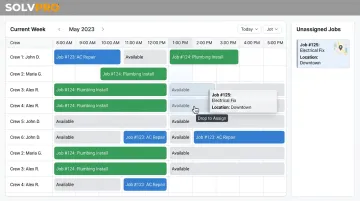
With SolvPro's drag-and-drop calendar, dispatchers see crew availability instantly and assign jobs in seconds, which prevents the double-booking chaos that plagues manual scheduling. Multi-crew route optimization also cuts down on wasted windshield time between jobs.
Mobile Access and Field Updates
Technicians view job history, customer notes, and instructions right from their phone. On-site, they log photos, materials, and signatures without returning to the office first. Offline mode matters here too: crews working in basements, rural areas, or dead zones can keep logging data that syncs once they're back in range.
Automated Communication, Invoicing, and Reporting
Confirmations, arrival reminders, and status updates go out without anyone lifting a finger. Nobody in the office has to manually call or text a customer to say "we're on our way."
Once a job wraps:
- Marking it complete can trigger instant invoice generation
- Payment requests go out the same day, not weeks later
- Job data feeds real-time dashboards showing technician performance and profitability
That last piece closes the loop: every completed job becomes data you can actually use.
Key Benefits of Field Service Automation
The theory is nice. Here's what automation actually changes on the ground.
Higher Efficiency and Fewer Missed Jobs
Manual coordination via phone and spreadsheet eats hours every week. Automated scheduling shrinks job assignment time and, paired with job and crew time tracking, confirms exactly when and where a technician started and finished a job.
That accountability piece matters more than people expect. When a status update carries a location and timestamp, there's no more guessing whether a tech actually showed up on time. The record speaks for itself.
Faster Invoicing and Quicker Payments
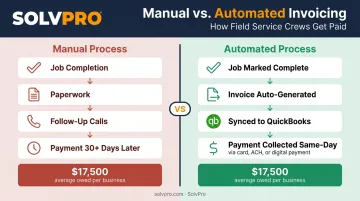
This is where automation tends to remove the most manual work. Late payments are a widespread problem: a 2025 survey of U.S. small businesses found 56% are owed money from unpaid invoices, averaging $17,500 per business, with nearly half of those invoices overdue by more than 30 days.
Automation shrinks that gap. When a job closes, an invoice generates immediately, synced to QuickBooks Online and processed through integrated payment tools built into the platform. SolvPro supports credit card, ACH, and digital payments directly from the field, meaning a technician can collect payment before they even leave the driveway.
Visibility, Less Admin, Better Customer Experience
A few more benefits:
- Job profitability clarity: automated cost and time tracking shows which jobs, crews, or services actually make money
- Reduced admin burden: office staff stop re-entering data and start focusing on customers
- Better customer experience: automatic confirmations and arrival updates meet expectations shaped by apps like Uber and DoorDash
Customers notice the difference. They're used to real-time tracking everywhere else in their lives. Your business should feel the same.
Key Factors to Look for When Choosing Field Service Automation Software
Not all platforms deliver on these benefits equally. Here's what actually separates a good fit from a frustrating one.
Ease of use and fast onboarding. If your crews need weeks of training, adoption will stall. Look for a platform your office and field team can learn in minutes. SolvPro, for example, is built to be fully set up in under 10 minutes: account creation, crew import, and first dispatch included.
Mobile capability and offline access. The app has to work reliably in the field, including areas with weak signal, syncing data automatically once connectivity returns.
Integrations that matter. Confirm the platform connects to:
- QuickBooks Online for accounting
- Payment processing
- Existing CRM tools, so data isn't entered twice
Transparent pricing and flexibility. Watch for hidden add-on fees and long-term contract lock-in. A platform that lets you scale users without surprise charges, and cancel anytime, gives you room to grow without financial risk.
Is Your Business Ready for Field Service Automation?
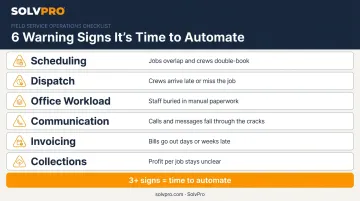
Manual systems work fine for small crews with predictable schedules. But certain warning signs mean you've likely outgrown them:
- Scheduling: Frequent double-bookings or scheduling conflicts
- Dispatch: Customers waiting on technicians who never show
- Office workload: Staff spending more time on data entry than customer service
- Communication: Constant phone calls just to check job status
- Invoicing: Invoices going out late or inconsistently
- Collections: Slow collections and unclear job profitability
This isn't a small concern. Software buyers overwhelmingly cite the same root cause: 52% say inefficiency is the top reason they seek new field service software, and 85% prioritize scheduling and dispatch capabilities above almost everything else.
Once three or more of these patterns show up regularly, manual systems have likely been outgrown. At that point, automation stops being a optional and becomes overdue.
Conclusion
Run a profitable shop, not just a busy one.
Seeing what a job is costing while it is still open gives you a chance to act on it. SolvPro connects scheduling, work orders, time, job costing and invoicing so that information is in one place. When you want to see it on your kind of work, Book a Demo.
Run the Job. Protect the Profit.
Frequently Asked Questions
What Is the Difference Between Field Service Management (FSM) and CRM?
FSM manages the operational side of service delivery: scheduling, dispatch, job tracking, and invoicing. CRM focuses on customer relationships, leads, and sales pipelines. All-in-one platforms like SolvPro blend both, so you're not juggling separate tools.
What Is the Best Field Service Software?
The "best" software depends on your trade, team size, and specific needs like mobile access, integrations, or bilingual support. Growing service businesses should prioritize platforms built for their trade over generic project management tools.
How Long Does It Take to Implement Field Service Automation Software?
Most cloud-based platforms can be set up within days to two weeks, depending on team size and how much data needs migrating. Some, like SolvPro, allow full setup in under 10 minutes for smaller crews.
What Size Business Benefits Most from Field Service Automation?
Businesses managing 3+ technicians or 50+ active accounts see the fastest returns. Job complexity, not headcount alone, determines when automation pays off.
Can Field Service Automation Work Without an Internet Connection?
Yes. Most modern platforms include offline mobile modes, letting technicians update jobs and capture data in low-connectivity areas. That data syncs automatically once they reconnect.
How Much Does Field Service Automation Software Typically Cost?
Pricing usually scales with team size and features, often ranging from a low monthly fee to several hundred dollars per month for small-to-mid-size crews. Costs are typically offset quickly through time saved on admin work and faster payment collection.