The crew wrapped the job Friday afternoon. The customer signed off. Everyone shook hands and drove home.
Then the quote sat untouched until Wednesday, because someone in the office had to manually retype every line item into a separate invoicing tool before billing could even start.
That gap between "job approved" and "invoice sent" is where growing service businesses lose money. Disconnected quoting and invoicing systems force double data entry and create pricing inconsistencies between what was quoted and what got billed. Cash flow slows down exactly when it matters most.
This article breaks down what quote and estimate software with auto-convert to invoice actually does, plus the features that separate a real solution from a glorified PDF generator. It also shows how electrical, plumbing, landscaping, commercial cleaning, and general contracting crews can close the quote-to-cash gap for good.
KEY TAKEAWAYS
- Auto-convert software eliminates manual re-entry, cutting delays and pricing errors.
- Instant, error-free conversion from approved quote to invoice delivers the biggest value.
- Prioritize digital estimates, mobile quoting, and payment sync when comparing tools.
- Trade-specific platforms close the approved-to-invoiced gap faster than generic software.
- Converting an approved quote without re-entry also preserves the agreed pricing, which is where manual rebuilds introduce disputes.
What Is Quote & Estimate Software with Auto-Convert to Invoice?
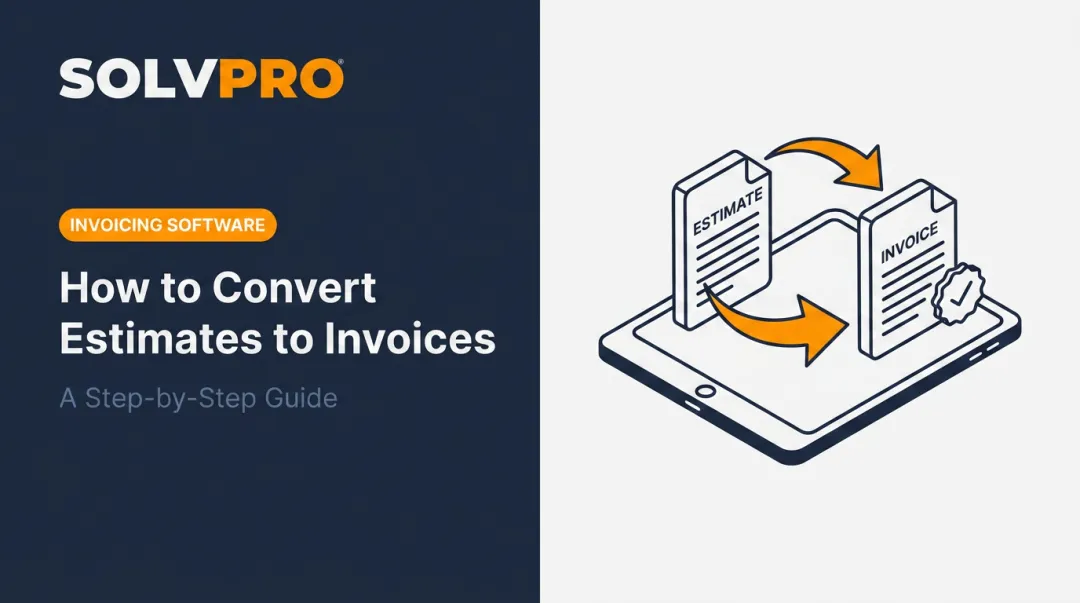
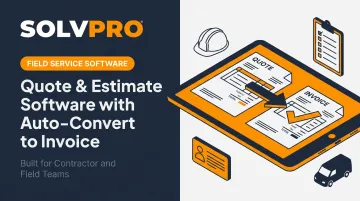
In plain terms, this is software that lets a business build a priced quote, get the customer's approval, and turn that same document into an invoice — without anyone rebuilding it from scratch in a different system.
That last part matters. Plenty of "quoting tools" hand off to a completely separate billing platform once a deal closes. The office still has to re-key every line item, every tax calculation, and every discount by hand. That's a data-entry problem, not real auto-convert.
Real auto-convert software fits into a single continuous workflow:
- Scheduling
- Quote or estimate creation
- Customer approval
- Job execution
- Invoice generation
- Payment collection
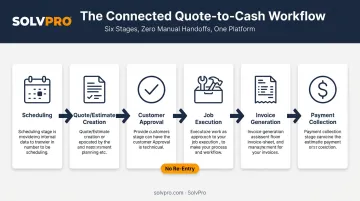
When all six steps live in one platform, an approved quote doesn't need a translator. It just becomes the invoice.
Why Manual Quoting Is Costing Your Service Business
The Quote-To-Invoice Gap Is a Handoff Risk
When a customer approves work, someone has to interpret that approval and turn it into a billable document. If the quote lived on paper, in a text message, or in a separate app from the invoicing tool, that interpretation happens by hand: the tech relays it to the dispatcher, who passes it to whoever handles billing.
Every handoff is a chance to drop a line item, miscopy a price, or forget an add-on the customer verbally approved on-site.
Pricing drifts the same way: when quotes get built ad hoc (one tech eyeballing a price, another pulling numbers from memory), the same job type ends up billed differently depending on who wrote it. Customers notice, and so does your bottom line.
Unpaid Invoices Are Already a Widespread Problem
You don't need a quote-specific study to see the downstream effect. According to Intuit's 2025 Small Business Late Payments Report, a January 2025 survey of 2,487 US small businesses found that 56% were owed money from unpaid invoices, averaging $17,500 per business.
47% carried invoices overdue by at least 30 days. Businesses with more overdue invoices were also less likely to use accounting software consistently — a pattern worth watching if your quoting and billing tools don't talk to each other.
The Admin Tax on Field Teams
Kai Stanton, SolvPro's Technical Sales Specialist, spent 17 years in construction working as a project manager, estimator, and installations lead before joining the software side. That background produces a simple observation: crews juggling paper quotes and a separate invoicing tool aren't just slower. They're carrying an invisible admin tax every week, rebuilding documents that already existed once.
That tax shows up the same way across every trade:
- HVAC and electrical crews quote phased installs, then re-key pricing into billing software after the fact
- Plumbing teams juggle emergency-call estimates that need to convert to invoices same-day
- Landscaping crews manage multi-phase projects where scope changes mid-job
- General contractors and commercial cleaning operators both need documented, auditable approval trails before billing
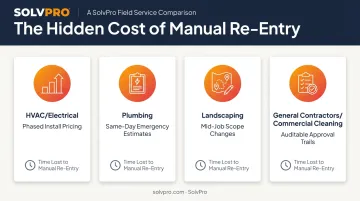
Different job types, same rekeying problem.
Must-Have Features in Quote-To-Invoice Software
Digital Estimates & Customizable Line Items
Multi-stage jobs, such as remodels, installs, or large landscaping projects, rarely fit into one flat price. Breaking an estimate into phases, each with its own line items and pricing, gives customers a clear picture of what they're paying for at each stage.
It also gives you a documented milestone structure to point back to if scope gets questioned later. Fewer arguments over "that's not what we agreed to."
Customer-Facing Proposals & Digital Approval
A branded PDF proposal a customer can review and approve from their phone replaces the handshake-deal problem entirely. Verbal agreements are hard to enforce and easy to misremember. A signed, timestamped proposal isn't.
One-Click Auto-Convert to Invoice
This is the core mechanic the whole category is built around. Once a quote gets approved, every line item, price, and term should carry straight into a finalized invoice: no re-typing, no second draft. The office isn't rebuilding the document; they're just sending it.
Accounting & Payment Integrations
Native QuickBooks Online sync matters because your books shouldn't depend on someone manually copying numbers over. Built-in payment processing matters for the same reason: an approved quote should be able to flow into a payable invoice and get paid without opening a third tool.
Mobile Access for Field Crews
According to Capterra's 2026 field service management software research, 89% of field-service software users consider mobile access critical. That tracks: customer intent to approve is highest while standing on the job site, not three days later when the tech finally gets back to the office. A field-ready app lets techs build and send quotes right where the work is happening.
Bilingual, Field-Ready Interface
Crews and office staff don't all work in the same language day to day. A platform that runs fully in English and Spanish means pricing accuracy doesn't depend on which team member happens to be building the quote.
How Auto-Convert from Estimate to Invoice Works, Step by Step
- Build the estimate. A quote or multi-stage estimate gets built on-site or in the office using saved pricing, labor rates, and line items, not a blank template started from zero.
- Send the proposal. A branded, customer-facing document goes out for review. The customer approves inline or via digital signature from whatever device they're holding.
- Status updates automatically. Once approved, the job flags as ready to move into scheduling and billing. No one has to manually notify the office that a deal closed.
- Convert to invoice. The approved quote becomes a finalized invoice, carrying over every line item, tax calculation, and discount. No re-typing required.
- Sync and get paid. The invoice syncs to connected accounting software, and a payment link goes out. The loop from estimate to paid closes without anyone leaving the workflow.
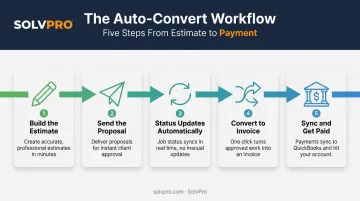
This kind of tight handoff between steps doesn't happen by accident. Justin Pease, SolvPro's Product Manager, brings more than 25 years in technology, including 15+ years leading product teams at VC-backed startups, to how this kind of workflow gets designed. His approach is to simplify operations for service businesses — in practice, that means every extra click between "approved" and "invoiced" is a click somebody has to justify keeping.
Choosing the Right Software for Your Crew
Before you commit to a platform, run it through a short checklist:
- Mobile usability: Can a tech actually build and send a quote from a phone, or does it just display information?
- Real integrations: Does it sync with your accounting and payment tools, or just export a CSV you still have to import manually?
- Transparent pricing: Is it SMB-friendly with no long-term contract, or does it lock you in?
- Setup time: Your team should be able to get running without hiring a consultant.
Generic office invoicing tools often miss the digital estimates and field-first design that trade businesses need day to day. They were built for desks, not job sites.
SolvPro was built by a team with 50+ years of combined experience across construction, field service, estimating, and project management. That shows up in the specifics:
- Digital estimates with customer-facing PDF proposals
- Native QuickBooks Online sync and credit-card and ACH payments, included on the core plan, not gated behind an upgrade
- A fully bilingual English/Spanish interface across the platform
- Setup in under 10 minutes, with live onboarding support and no long-term contract
SolvPro runs a single core plan and does not publish pricing; confirm the current figure directly. All users share the same core feature set, with no surprise add-ons.
Conclusion
Your crews are busy. So why isn't there more money in the bank?
When the office can see labor, materials and documented changes against the job while the work is still open, the numbers at the end stop being a surprise. SolvPro keeps scheduling, work orders, time, job costing and invoicing on one record. When you want to see it on your kind of work, Book a Demo.
Run the Job. Protect the Profit.
Frequently Asked Questions
Can Invoicing Software Generate Quotes?
Many invoicing platforms include basic estimate features. True quote-to-invoice software goes further, carrying line items and approvals directly into the invoice without manual re-entry.
Is There an App Where I Can Write Invoices and Have It Calculate My Prices on the Go?
Yes. Mobile quote-and-invoice apps let field techs select line items while the software calculates totals, taxes, and discounts automatically from the job site.
What's the Difference Between a Quote and an Estimate?
A quote is typically a fixed price that shouldn't change once accepted, unless the scope changes. An estimate is an educated guess that may be broken into phases and adjusted as work gets scoped and priced out.
Does an Approved Quote Automatically Become an Invoice, or Do I Still Have to Convert It Manually?
With auto-convert software, approval triggers the conversion automatically or with one click. Legacy tools require rebuilding the invoice from scratch in a separate system.
Do I Still Need Separate Accounting Software If My Quoting Tool Auto-Converts to Invoices?
Yes. Most auto-convert platforms sync with accounting tools like QuickBooks Online rather than replacing them, keeping your books accurate without duplicate entry.
How Long Does It Take to Set up Quote-To-Invoice Software for a Field Service Business?
Modern platforms built for trades are designed for fast onboarding — often ready to use within minutes, not weeks of implementation.